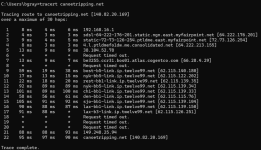
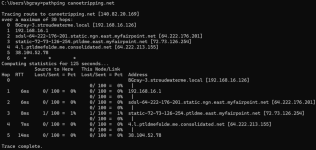
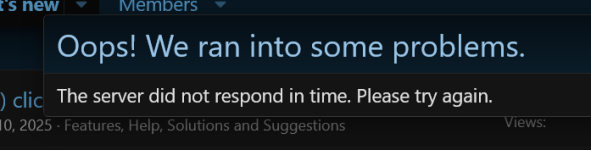
Wish I could figure out what's going on.
Tom, this seems to be a problem isolated to just one user, you.
AI suggests the following, which I don't understand completely:
*****************
A slow or non-existent click response for a single user on a XenForo site is likely caused by browser-specific issues, browser extension conflicts (like ad blockers), or local network issues. Solutions include testing in incognito mode, disabling ad-blockers, clearing cache/cookies, or testing a different browser.
Troubleshooting Steps for a Single User:
- Disable Ad Blockers/Extensions: Ad-blockers (e.g., UBlock Origin, Adblock Plus) can interfere with XenForo's jQuery AJAX requests, causing actions like clicking "Post" or "Like" to hang.
- Use Incognito/Private Browsing: Have the user open the forum in an incognito window. If the issue disappears, it is confirmed to be a browser extension or cache conflict.
- Clear Browser Cache & Cookies: Stale data or corrupted cookies can cause individual login issues or session delays.
- Check for Browser Specificity: There are reported compatibility issues between certain XenForo versions and specific browser versions (e.g., older Firefox versions). Have the user try a different browser (e.g., Chrome, Edge) to confirm.
- Check for Large Alert/Message Count: If the user has a massive amount of unread messages or alerts, it can slow down their page loads and button responses.
Server-Side Considerations (Unlikely if only one user):
- If the user has unusual permissions [me: you have only standard permissions] or a vast amount of data being loaded, it could cause issues. However, if this is isolated to one person, local browser/machine factors are the most probable cause.
*******************
You might also try searching for info or similar problems on the Xenforo administrators forum
HERE. You won't be able to post there, but you should be able to search and read.
You say it only happens on this site, but have you tried replicating your problem on other Xenforo platform discussion sites? This should help ascertain whether it is something in the Xenforo code that is causing your problem. The Xenforo admin site I just linked is itself a Xenforo platform site but you can't join it as a member, so maybe you have to find a few that you can join as a member to replicate your problem fully.
The only add-ons to the Xenforo code we have here are the five non-default color themes. Does the problem happen in one of these color themes and not in the dark or light default color theme?