• Happy 1st U.S. Census (1790)! 3,939,214 👪

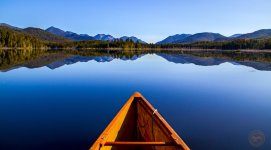
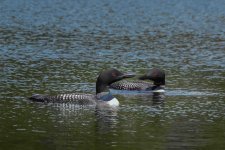
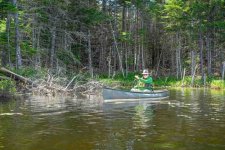
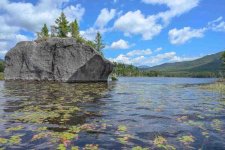
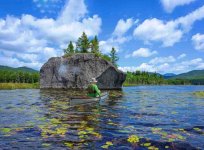
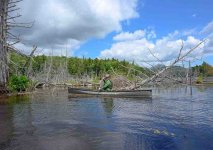
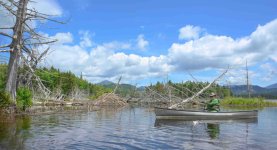
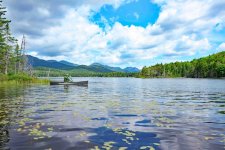
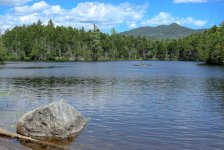
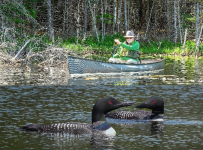
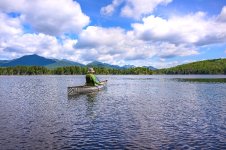
Boreas Ponds, Adirondacks, NY

Glenn,
If you do go to Boreas Ponds, I would suggest you also spend a little bit of time at Henderson Lake (if you haven’t been there already), which is not far from there and has a relatively easy path in to the launch (less than 1/2 mile). I’m not sure about handicapped parking but the lot is quite extensive.
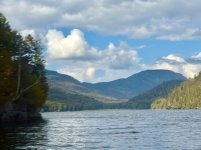
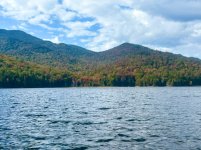
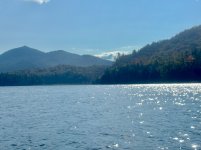
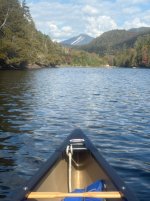
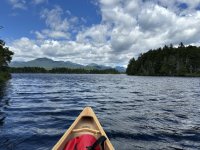
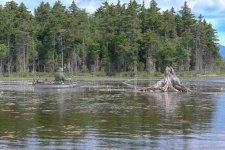
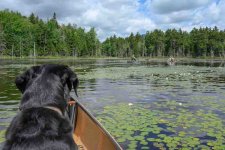
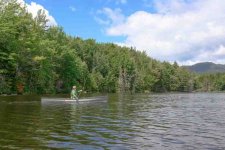
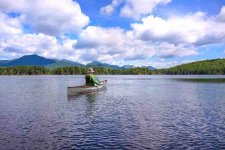
Once you near the end of the trail and the water becomes visible, the atmosphere is very striking and the mountains feel very close. The photos below are a bit grainy because my phone was in a protective case…there was a tremendous amount of wind and waves on the lake that day…But in sum, it’s a very special place…

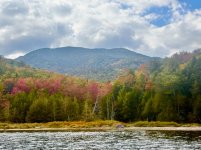
IMG_2752.jpegIMG_2795.jpegIMG_2785.jpegIMG_2773.jpegIMG_2805.jpegIMG_2813.jpeg
 
Thanks, Ken. I have wheels and perhaps a companion with a truck.
Hi Glenn,

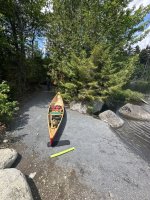
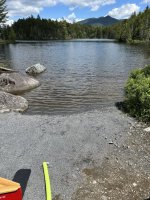
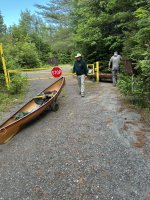
I revisited Boreas Ponds on June 24th. Since I was last there in August 2025, the DEC has greatly improved the canoe access. There is now a wheelchair-accessible path from the access road down to the water at the base of the dam, so it is now possible to wheel a canoe on a cart all the way to the water's edge. The path is well graded and covered with crushed stone.

1782491061006.jpeg
1782491152255.jpeg
1782491099430.jpeg
Access to the water in August 2025 was via a steep trail from the access road down the side of the dam. The new trail is a vast improvement.
1782491402759.jpeg
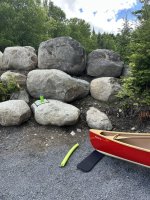
The old access trail to the water is now walled off with boulders.
1782491486818.jpeg

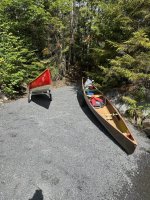
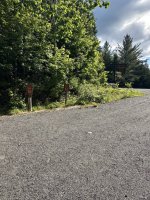
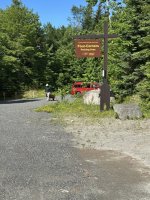
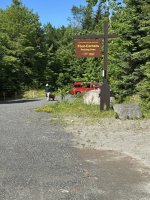
The Four Corners parking lot, which has been resurfaced with crushed stone, has four handicap parking spots.
1782491836055.jpeg
1782491638704.jpeg

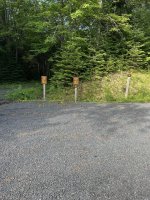
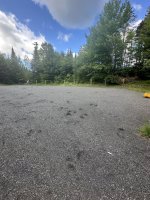
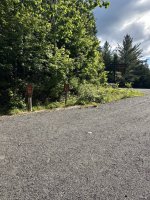
The lower parking lot, which is a short distance from the water, has four regular parking spaces and four handicap spaces. This lot has also been resurfaced with crushed stone. As mentioned in previous posts, a permit is required to access this lot.
1782492329494.jpeg

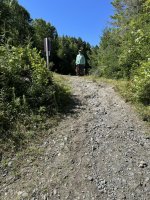
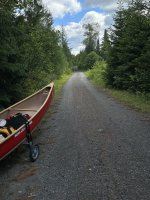
Many spots along the 0.8-mile access road that leads from the Four Corners Parking lot to the canoe launch also appear to have been regraded and covered with crushed rock. The road was in excellent condition and readily wheelable for its entire length.

1782493346850.jpeg
1782493229056.jpeg
1782492642900.jpeg

Good luck if you are able to make it to Boreas Ponds this summer! It is worth the effort.
1782493428640.jpeg
 

Attachments

  • 1782493188994.jpeg
    1782493188994.jpeg
    271.4 KB · Views: 3
  • 1782491701435.jpeg
    1782491701435.jpeg
    286.2 KB · Views: 3
Last edited:
I was there last summer, while they were working on all of it. I believe the eventual goal is to make it entirely handicapped accessible, to include campsites. I saw marking tape at just about every likely landing spot. The fact that there's a bulldozed road entirely around the area would make emergency medevac a bit easier as well, or allow caregiver vehicle access (ATV/SxS) along the back/behind the scenes while preserving the wilderness experience for a handicapped paddler on the front side. I know my younger self would have been less sympathetic, but my older self now realizes that when I'm 90, I'd maybe like to do one more trip.

Glenn,
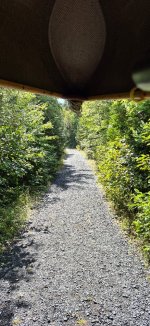
I can confirm that the road from 4 corners, even a year ago, was very cartable... probably the easiest mile I've ever walked with a canoe... I did it once carrying, and a second time with my cart.

Walking, canoe overhead...
20250902_145643.jpg

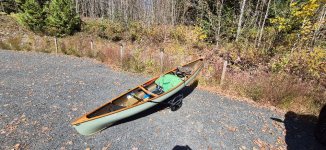
Canoe loaded in the parking lot.
20251002_123216.jpg
 
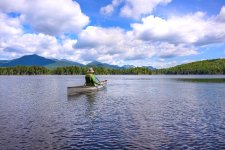
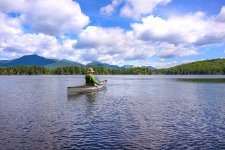
Something weird happened to the photos when I uploaded them to this site. That moire' pattern effect is not on the original photos and doesn't show on those uploaded to Facebook.

 
Something weird happened to the photos when I uploaded them to this site. That moire' pattern effect is not on the original photos and doesn't show on those uploaded to Facebook.


I'm glad to hear it isn't on the originals. It certainly is not very appealing. Did you resize before uploading to the site or did the site do the resizing? They all show pixel dimensions of 960x633.

Alan
 
I'm going to copy and paste one of the images from your Facebook page to see what happens:

1785513742000.png


Well, that looks much better. Not sure what might have happened. If you want to fix it I guess the best way would be to edit the post and re-insert the images. Maybe start with one before doing them all just to be sure it looks normal.

Alan
 
I resized them all and reposted them all again and the same result. It's a curious thing.

What method are you using to load the photos onto the site? You can copy/paste, use "attach files" at the bottom of the screen, or click the 'insert image' (mountain icon) in the top tool bar.

I don't know if any of them act different than the others but maybe it's a clue. I used copy/paste when I inserted your photo in my above response. I'm pretty sure that's my normal method. I also use the 'insert image' (mountain icon) at other times. I've used the 'attach files' (below the text box) in the past but I don't make a habit of it but not for any particular reason.

Also, what are the pixel dimensions of the images that you're uploading? You said you were going to try resizing them smaller but they're still showing up at 950 pixels on the long dimension. If you have them sized smaller than this perhaps the software, for some reason, is trying to upsize them to 950.

Alan
 
What method are you using to load the photos onto the site? You can copy/paste, use "attach files" at the bottom of the screen, or click the 'insert image' (mountain icon) in the top tool bar.

I don't know if any of them act different than the others but maybe it's a clue. I used copy/paste when I inserted your photo in my above response. I'm pretty sure that's my normal method. I also use the 'insert image' (mountain icon) at other times. I've used the 'attach files' (below the text box) in the past but I don't make a habit of it but not for any particular reason.

Also, what are the pixel dimensions of the images that you're uploading? You said you were going to try resizing them smaller but they're still showing up at 950 pixels on the long dimension. If you have them sized smaller than this perhaps the software, for some reason, is trying to upsize them to 950.

Alan
At first I was using the insert method. I tried copy paste with the same results. I'm thinking that my file sizes may be too large (generally 1.5 MP+-) and the program is not able to downsize then properly. They are definitely not too small. I'll try downsizing them further, when I get a chance. It's just curious that I've never had the issue before and still don't except on this site.
 
At first I was using the insert method. I tried copy paste with the same results. I'm thinking that my file sizes may be too large (generally 1.5 MP+-) and the program is not able to downsize then properly. They are definitely not too small. I'll try downsizing them further, when I get a chance. It's just curious that I've never had the issue before and still don't except on this site.

It is puzzling. I never downsize images before posting them here and have not had any trouble.

I'll try uploading a 4128x3096 image and see what happens:

50334151783_61e91a28d6_o.jpg

This was done via "insert image" (mountain icon at top). Looks good to me.

Alan
 
It is puzzling. I never downsize images before posting them here and have not had any trouble.

I'll try uploading a 4128x3096 image and see what happens:

View attachment 156511

This was done via "insert image" (mountain icon at top). Looks good to me.

Alan
I resized them all to mostly 70-80KB +- and they look better though lacking in definition. I'm going to leave it at this for now. Whatever the root issue is, it's apparently above my pay grade.
 
I had Marc e-mail me one of the images that is giving problems so I could play with it. I'm not quite sure what to make of it. If anyone understands what is happening I'd be happy to hear it. I've been going around with Chat GPT a little on the possibilities but one of us does not seem to be understanding the other very well. I'm not sure which of us is being dense.

There are three ways to upload photos to this website. You can simply copy and paste the image into the post, you can use the 'insert image' button (mountain icon) at the top of the reply box, or you can use 'attach files' (with a paperclip icon) at the bottom of the reply box.

Marc's image looks fine when I post it using two of the three methods and it looks terrible using the other one.

This is the image when copy and pasted:

1785553161562.jpeg

This is the image using the 'insert image' button at the top of the reply box (mountain icon):

Z61_6717-topaz-rawdenoise cr en Boreas Ponds_Glenn_McGready.jpg

And this is what it looks like using the 'attach files' button a the bottom of the reply box (paperclip):

Z61_6717-topaz-rawdenoise cr en Boreas Ponds_Glenn_McGready.jpg


I can only assume the forum software is using a different method of resizing photos depending on how it's been uploaded, which is kind of annoying. I guess my recommendation is to stay away from the 'attach files' method.

Marc said he had problems with copy and paste as well but it worked fine for me. I have no answer for that.

As for why it hasn't caused this problem before I can only blame it on Glenn's new boat as that seems to be the main trigger. The affected image looks over sharpened in general but I doubt I would have thought anything of it if not for the pattern on the canoe. Maybe someone can forward this to Bill Swift in case they want to add this unique pattern to their product line.

Alan
 
As Colonel Klink would say, "Veeery Interesting".
I just reloaded all of the images, using the drag and drop (insert images) method. It seemed to work fine this way. These are ultra small files, so lacking a bit in detail/definition. Whether or not I'd get the same result using larger files, I don't know, but at the moment, I haven't the patience to resize them all, again.
 
Last edited:
Back
Top Bottom