How do you control the display size of an inserted image? I've tried changing image pixel size and DPI and the image still gets posted at the same (full) size. I'd like to be able to control the dimensions of a displayed image. Or is there a default image display size and what is that default?
You don't need to resize images before posting them.
Xenforo will accept images up to 8000 KB. If the image is larger than that, it will be rejected. If the image is accepted, it will automatically be resized to a maximum of 950 x 950 pixels when it is inserted into a message. If the image is attached as a thumbnail, it will be resized to 150 pixels along its shortest edge.
If images are inserted at the maximum 950 x 950 pixels, the size can be reduced in two ways. First, as Alan has explained, clicking on the image will cause drag boxes to appear at the corners, which can be used to drag the image to any smaller size. Second, clicking on the image will also cause a small image tool menu to appear. One of the tools is an image resizer. I use the corner dragging method.
If inserted images are already less than 950 x 950 pixels, they will appear at their natural, smaller size. However, you can click on the picture and use the corner boxes to drag it to a larger size, up to 950 x 950. That will probably cause it to lose sharpness.
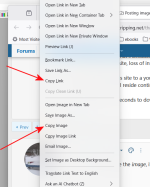
I generally just use copy-paste to upload images.
Never thought of doing that. Great suggestion!
If you are talking about copy-pasting an image from an internet source, including personal photo albums, I have consistently recommended against that because a copy-pasted image will not be on our server.
A copy-pasted image will disappear from this site once it disappears from the internet source. We already have hundreds of disappeared images that had been copy-pasted from the personal photo albums of many of our most prolific members in many of our most informative trip and build threads. That's because people don't stay with their photo album sites for a variety of reasons: price increases, mass moves of photos to another hosting site, loss of interest, or death.
If I can transition this site to a young administrator, the site will likely outlive many of us and the images will be preserved on our server for far longer than they will reside continuously on personal photo hosting sites.
It only takes a few seconds to download a picture from the internet and then upload it to our server.