• Happy My Way Day! ⬅️➡️🛣️

Best Navigation Apps for 2026

Glenn MacGrady

Administrator
Staff member
Joined
Oct 24, 2012
Messages
6,654
Reaction score
12,841
Location
Connecticut
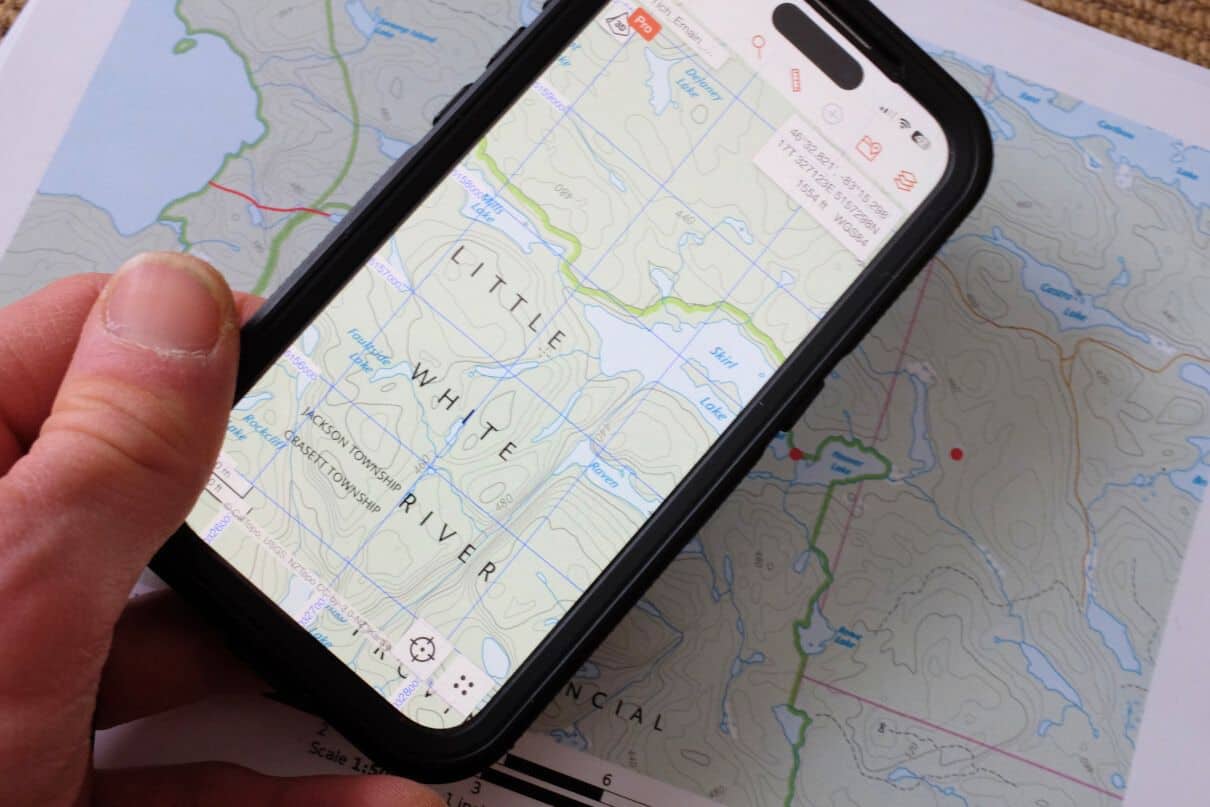
I'm not familiar with these kind of apps, but this article reviews seven of them. Chip in if you have experience with these apps or others.

 
I use printed maps almost exclusively for onsite navigation. A standalone GPS is used only for lapses of befuddlement. However I'm currently planning a long trip in Nunavut for this summer. For this planning, I've recently started using CalTopo (on my desktop), as one of the other paddlers has some background in it and he's already got a rough plan outlined in it. I loaded that into Google Earth, which shows the path nicely. The idea is to thoroughly preview the route to get an estimate of the amount of time it'll take us (mileage, portages), as well as look at other potential setbacks. One of the rivers we'll be going on is very low volume, and SatellitesPro (which seems to have Apple Maps installed) provides much more detail than Google Earth. This will help enormously in evaluating whether the river is navigable. It also provides sufficient detail for rapids, much more so than Google Earth. I'll be continuing with CalTopo, and might be able to give some more comments in the future.
 
In many areas, "Logan Earth" - a northern developed program - also provides superior imagery to Google Earth. It might be worth a look.

One issue I have found in using satellite imagery to evaluate rapids is trying to extrapolate from the water level visible in the sat image to the water level you will experience on your trip. Both seasonal and annual variations come in to play. It's especially noticeable on small rivers without sizable headwater lakes, where levels can drop swiftly after the spring spate
 
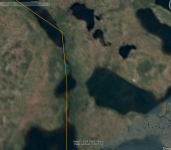
Good info. For those of you interested in the variety of satellite images for planning, here's an interesting comparison. I'm looking at a series of lakes with a thin stream (aka river) connecting, wondering how reasonable this trip is. Here are three available satellite images referenced in this discussion for the same area (Glenn--feel free to move this to a new thread), zoomed in as much as feasible due to resolution. You'll notice immediately that Google Earth is way, way behind.

FYI, this is in Nunavut. Those familiar with satellite imagery know well that resolution changes depending on where you're looking.

Google Earth (the other two programs show the stream section above the small connecting lake along the yellow line).

1771367662320.png


Logan Earth
1771367554954.png


Satellites Pro
1771367593483.png


Some differences:

Google Earth will accept .kmls from other sources easily (tracks, waypoints, lines, polygons--good compatibility with CalTopo and gps units). I haven't found where Satellites Pro and Logan Earth can do that, but I've spent only a few minutes with Logan Pro. For my purposes, I'm using CalTopo, Google Earth and Satellites Pro at the same time. Since the original rough trip was outlined in CalTopo, I imported it into Google Earth for basic viewing (looking to see where problems may occur). Since Satellites Pro has much better resolution, I can look at that for better detail while still being able to orient with Google Earth. It's fun!

Of course all this technical wizardry begs the question of what type of trip do you want. How much information do you want for your planning? What type of wilderness wanderer are you? I'll leave that to a new discussion.
 
Last edited:
One issue I have found in using satellite imagery to evaluate rapids is trying to extrapolate from the water level visible in the sat image to the water level you will experience on your trip. Both seasonal and annual variations come in to play. It's especially noticeable on small rivers without sizable headwater lakes, where levels can drop swiftly after the spring spate

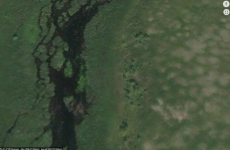
Very true! However peering from x thousand feet over rapids of interest sure is fun! Here is the rapid that killed Art Moffatt on the Dubawnt River in 1955 (see "Death on the Barrens", by George Grinnell, or Skip Pessel's "Barren Grounds: The Story of the Tragic Moffat Canoe Trip"). With lots of prior research (journals, maps, satellite imagery) we found another river branch accessing the lake to the north, and paddled to the rapid from downstream (and camped there). Both seeing the imagery and the rapid told us that avoiding it was a good call. Yes, maybe you could sneak a way through, but..........


1771370002651.png
 
I use printed maps almost exclusively for onsite navigation. A standalone GPS is used only for lapses of befuddlement. However I'm currently planning a long trip in Nunavut for this summer. For this planning, I've recently started using CalTopo (on my desktop), as one of the other paddlers has some background in it and he's already got a rough plan outlined in it. I loaded that into Google Earth, which shows the path nicely. The idea is to thoroughly preview the route to get an estimate of the amount of time it'll take us (mileage, portages), as well as look at other potential setbacks. One of the rivers we'll be going on is very low volume, and SatellitesPro (which seems to have Apple Maps installed) provides much more detail than Google Earth. This will help enormously in evaluating whether the river is navigable. It also provides sufficient detail for rapids, much more so than Google Earth. I'll be continuing with CalTopo, and might be able to give some more comments in the future.
A little bit of befuddlement is good for the soul. And for improving your navigation skills. Never fear. When I was much much younger, my dad would take me deer hunting and he had favored spots for me to sit while he went another way to get deer to move to me. Anyway, after I learned his route and favored places to wait, he always told me that if I get "mixed up" (never lost), to sit on a log, eat half my sandwich and figure out how I lost my track of the known landscape clues along the way. Soon enough after glancing at the map and compass and what is around me, I would figure it out. I have followed that advice ever since. I never feared being in that learning situation no matter where I was. My joy in traversing off trail in the wilderness is the navigation process itself and I have never forgot the advice from my dad. It has always been worked for me. I have always felt that I learn much more on my backwoods treks (and remember more) when I make a mistake and then correct it, rather than when everything in the trip goes perfectly all day.


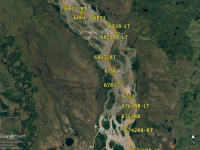
When I planned my best guess Yukon River canoe race route, I used Google Earth to plot waypoints at each turn ( 3 points/sweeping turn), bend, and island passage in the river, along with potential optional decision shortcuts. I transferred all to an Excel spreadsheet for calculation of distance from start (in tenths of a mile) and direction between each and labeled each point with the same, Each spreadsheet point had an estimated arrival and finish time calculated for update by my pit crew, updated from intermediate actual point arrival times. 798 waypoints for the Y1K race. then transferred all into a hand-held GPS to mount in the canoe, and also back into GE to print in ~10-mile segments, waterproofed the paper pages and put in plastic sleeves in a binder. Based on gained experience, I improved the process and route for each year of the 5 years of racing I did there. Played in "fly mode" on a big screen from GE for weeks before the race while working out on a canoe paddling machine along with epic genre style music, I memorized most of each segment of the route to match reality.

Yukon flats segment near Circle, Akl
1771371681538.png
 
Back
Top Bottom